
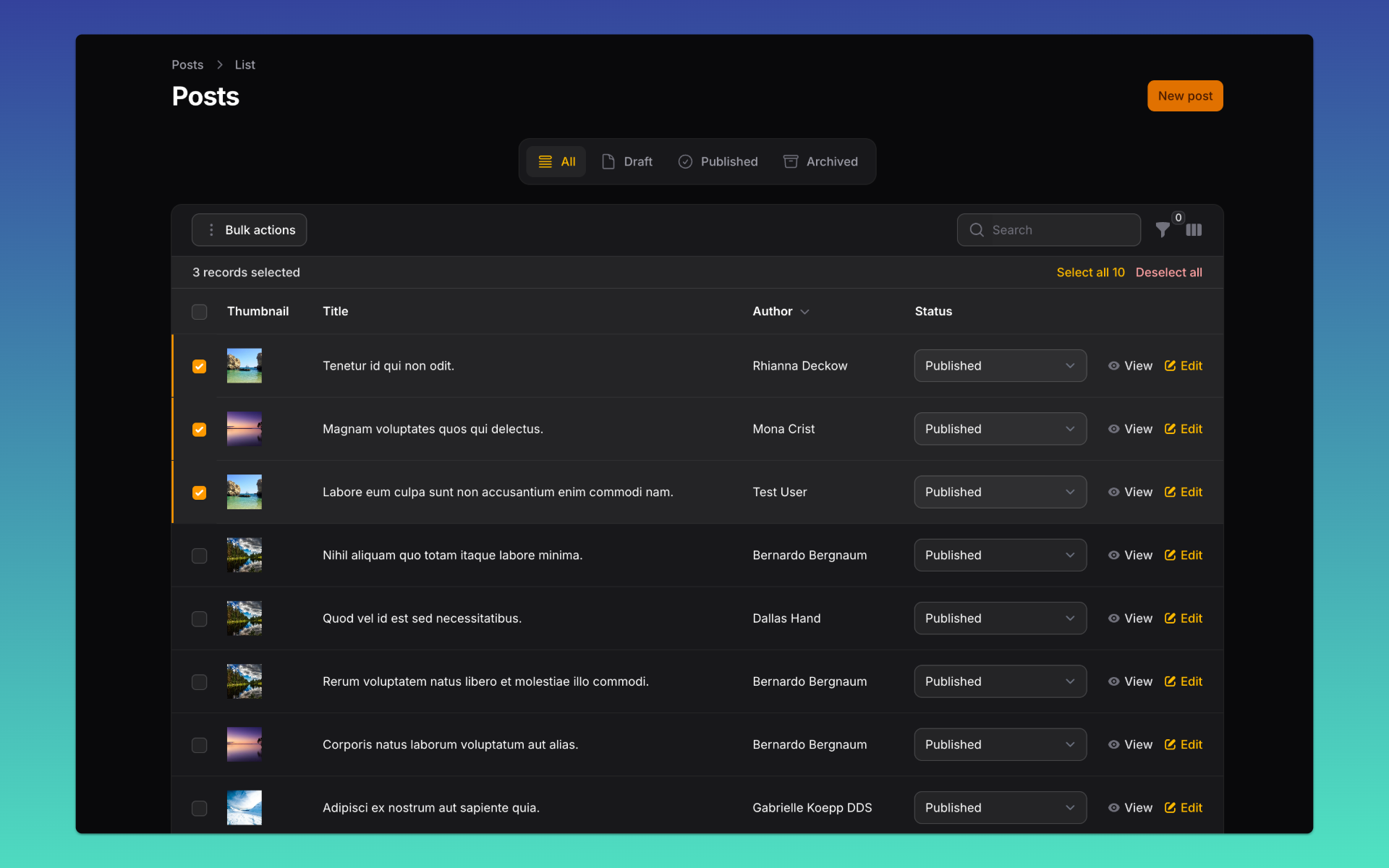
Sometimes you need a table to load with certain rows already selected. In this post, you'll learn exactly how to implement that.
The scenario
Sometimes you need your Filament table to load with certain rows already selected. For example, when restoring a user's last selection or when presenting a pre-filtered list of items.
The trick
Filament makes this very easy using the currentSelectionLivewireProperty() method, which lets you define the Livewire property for storing selected row IDs:
public static function configure(Table $table): Table
{
    return $table
        ->currentSelectionLivewireProperty('selectedPosts')
        ->columns([
            ImageColumn::make('thumbnail')
                ->disk('public')
                ->imageSize('40px')
                ->placeholder('#'),
            TextColumn::make('title')
                ->searchable(),
            TextColumn::make('user.name')
                ->label('Author')
                ->sortable(),
            SelectColumn::make('status')
                ->options(PostStatus::class),
            TextColumn::make('published_at')
                ->since()
                ->sortable()
                ->toggleable(isToggledHiddenByDefault: true),
            TextColumn::make('created_at')
                ->since()
                ->sortable()
                ->toggleable(isToggledHiddenByDefault: true),
            TextColumn::make('updated_at')
                ->dateTime()
                ->sortable()
                ->toggleable(isToggledHiddenByDefault: true),
        ])
        ->filters([
            SelectFilter::make('categories')
                ->relationship('categories', 'name')
                ->multiple()
                ->searchable()
                ->preload()
                ->label('Categories'),
        ])
        ->recordActions([
            ViewAction::make(),
            EditAction::make(),
        ])
        ->toolbarActions([
            BulkActionGroup::make([
                DeleteBulkAction::make(),
            ]),
        ]);
}
Then, inside your List Page, you simply define the Livewire property and pre-fill it with the string IDs you want selected:
public array $selectedPosts = [];

public function mount(): void
{
    parent::mount();

    $this->selectedPosts = ["1", "2", "3"];
}
Now, when the page loads, those rows will appear already selected!
Conclusion
With a few lines of code, you can fully control which rows appear selected when a Filament table loads, making it easier to restore user context, guide workflows, or highlight important records.
Download source code
Run project on Firebase Studio
- Open studio.firebase.google.com and import the repository
https://github.com/wiremodel/simple-blog - Run the project. Once it's up, switch to the correct branch:
git checkout v4/pre-select-rows
Update dependencies and migrate the database:
composer update -W
php artisan migrate:fresh --seed
.env file has APP_URL set to the URL provided by Firebase Studio.